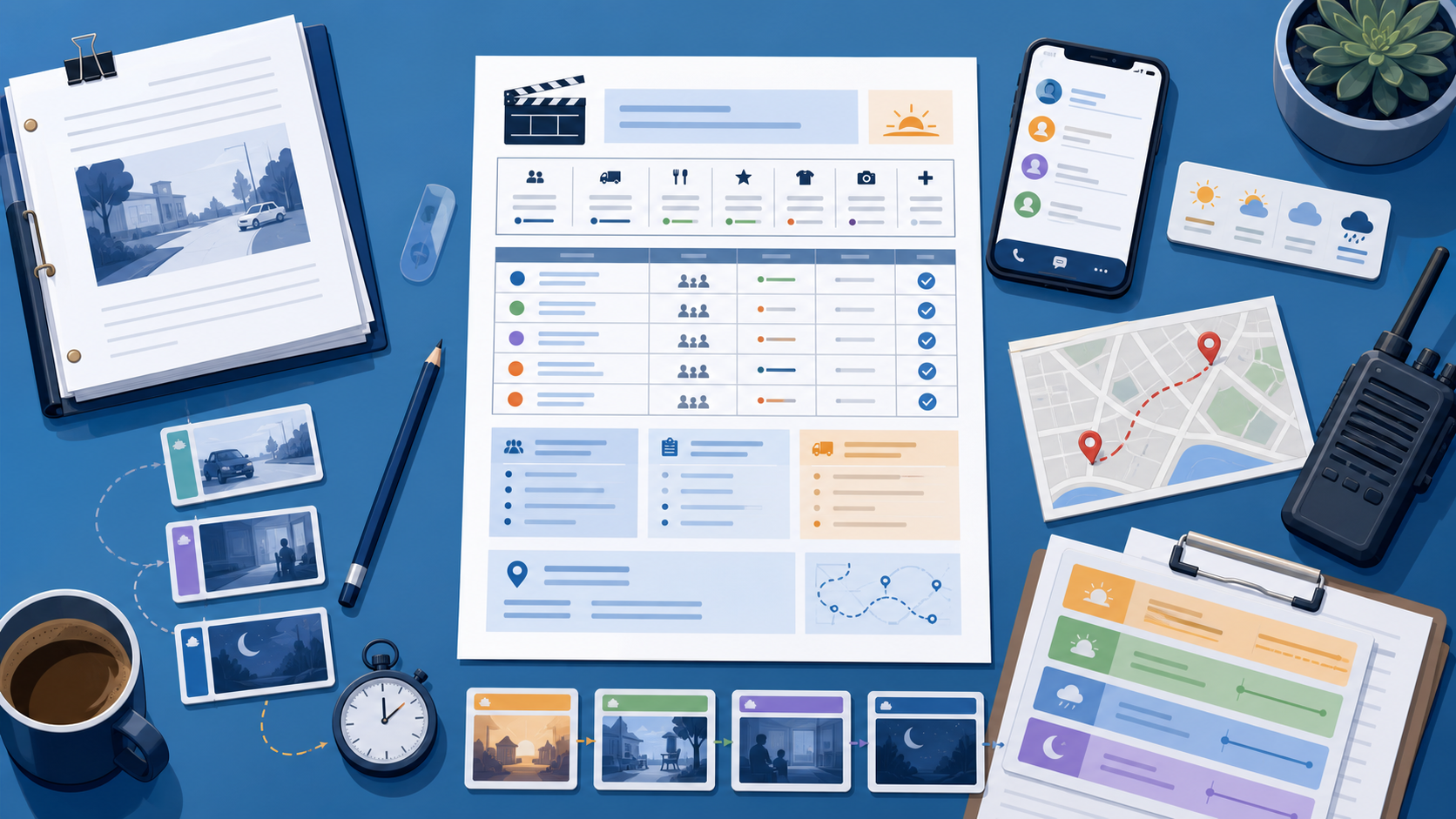
A call sheet is where pre-production stops being abstract. It tells your cast and crew where to be, when to arrive, what scenes are up, what the weather looks like, who they need to contact, and what can derail the day if nobody is paying attention. If you want to know how to make a film call sheet, start with this rule: a good call sheet is built from a real shooting schedule, not from guesswork the night before.
That matters even more on indie productions. Small teams do not have much slack for late arrivals, missing contact info, surprise company moves, or scenes that were never translated into a practical day plan. Your call sheet is the handoff between planning and execution. It should fit naturally into the larger FilmPilot.ai pre-production workflow, where script analysis, scheduling, location planning, and daily production documents all support each other.
What a film call sheet actually does
A film call sheet is the daily production document sent to cast and crew before the next shoot day. It summarizes the schedule and the logistics that matter right now, not everything that exists in the whole production binder.
The best call sheets reduce confusion. They answer the questions people ask first: What day are we shooting? What scenes are up? Where is base camp? What time is crew call? Which cast members are needed? What is the weather? Who do I call if something changes?
If your schedule is still soft, solve that first. How to Make a Shooting Schedule From a Script covers the upstream work that should happen before the call sheet is built.
Start with the shooting schedule, not the template
Many first-time producers open a blank call sheet template too early. That usually leads to filler, contradictions, or missing details because the real production decisions are not settled yet.
Before you draft a call sheet, confirm these inputs:
- the approved shoot day from your schedule
- scene numbers and page count for that day
- location address, parking, and access notes
- cast and department heads required on set
- special elements like stunts, minors, animals, company moves, or night work
- weather conditions and sunrise or sunset timing if relevant
- production contacts for AD, producer, transportation, and safety
If those details are scattered across texts, email threads, and handwritten notes, the call sheet will feel shaky because the underlying plan is shaky.
What to include on a daily call sheet
The exact layout can vary, but most workable call sheets include the same core blocks. Keep it clean. People need to scan this quickly on a phone or as a printed sheet at 5:30 in the morning.
1. Production header
- project title
- shoot date and day-of-days
- general crew call time
- producer, director, and AD names
2. Location and travel details
- primary filming address
- base camp or parking instructions
- nearest hospital or emergency reference if your production uses that format
- company move timing, if the day includes one
This is where location planning matters. A call sheet cannot fix a weak scout. If the site access, parking, sound issues, or neighborhood restrictions are unclear, the whole day can slow down. That is why Indie Film Location Scouting Checklist That Saves Money is a useful companion read.
3. Scene schedule
- scene numbers
- brief scene descriptions
- interior or exterior and day or night
- estimated page count
- shoot order for the day
This section should reflect the real shoot order, not screenplay order. If the schedule changed after the stripboard was built, the call sheet must reflect that change immediately.
4. Cast and department needs
- which cast members are needed and when
- hair, makeup, wardrobe, and transport call times when different from crew call
- key prop, vehicle, special equipment, or stunt notes
5. Weather, daylight, and operational notes
- weather forecast
- sunrise and sunset when timing matters
- safety notes
- meal timing and major break windows
How to build the call sheet from your schedule
The easiest way to make a film call sheet is to treat it as a filtered view of one shoot day. You are not creating a new plan. You are translating the schedule into a crew-facing document.
Step 1: Lock the day
Choose the exact shoot day from the schedule you are preparing for. Confirm location, scene order, cast requirements, and any move or timing restrictions. If the day is still moving, wait until it stabilizes enough to send clear instructions.
Step 2: Pull only the details needed for that day
Do not dump the whole schedule into the call sheet. Extract only what tomorrow's cast and crew need. Too much detail makes the document slower to use.
Step 3: Make timing visible
Call time, first shot target, meal window, move window, sunset pressure, and wrap target should be easy to spot. The more hidden these are, the more questions your team will ask by text.
Step 4: Check dependencies
Before you send the sheet, pressure-test the day. Does the first setup require a vehicle that has not been confirmed? Is a location open when your crew arrives? Are you asking an actor to appear before wardrobe prep is possible? A strong call sheet catches weak assumptions before call time.
Step 5: Send one clear version
Confusion usually comes from version drift. Avoid multiple near-identical PDFs or last-minute message threads with major schedule changes. If the day changes, issue an updated call sheet clearly and fast.
Common call sheet mistakes
Using vague location information
"Warehouse downtown" is not a location plan. Include the real address, parking instructions, and access notes.
Forgetting who has different call times
Cast, makeup, transportation, and select departments often need different arrival times. If everyone only sees a general crew call, people will show up wrong.
Ignoring the relationship between the call sheet and the budget
A bad call sheet causes expensive delays. If the document hides company moves, meal timing, or cast bottlenecks, you are not just creating confusion. You are increasing cost risk. That is part of the larger planning logic explained in What Is a Pre-Production Package?.
Sending a template with placeholders still inside
Nothing makes a production feel unprepared faster than a live document that still contains blanks, dummy labels, or generic notes that do not match the day.
Where AI helps with call sheets
AI is useful here because call sheets sit downstream from a lot of structured production information. Once your screenplay has already been translated into scene data, schedule logic, location notes, and cast needs, generating the first version of a call sheet becomes much faster.
That does not replace the producer or AD. It reduces manual assembly time and helps smaller teams stay consistent. FilmPilot.ai is especially useful when you want the script, schedule, locations, and daily documents to come from one connected workflow instead of several disconnected tools.
That connection also matters when you are choosing a package. The FilmPilot.ai pricing page shows that daily call sheets sit alongside production scheduling, script feedback, storyboards, budgeting support, and festival strategy in the higher-tier plans. For indie teams, that is often the difference between having documents and having documents that actually agree with each other.
A practical standard for a useful film call sheet
A useful call sheet is short, specific, and honest about the day. It gives the crew the exact version of reality they need: where to go, when to arrive, what scenes are happening, who is required, and what problems to anticipate early.
If you are building it from a real shooting schedule, it becomes a calm operational tool. If you are building it from memory, it becomes a source of avoidable mistakes.
Ready to turn your script into crew-ready daily documents?
If you want help turning a screenplay into a shooting schedule, daily call sheets, visual planning assets, and a broader pre-production package, FilmPilot.ai can do the heavy lifting faster.